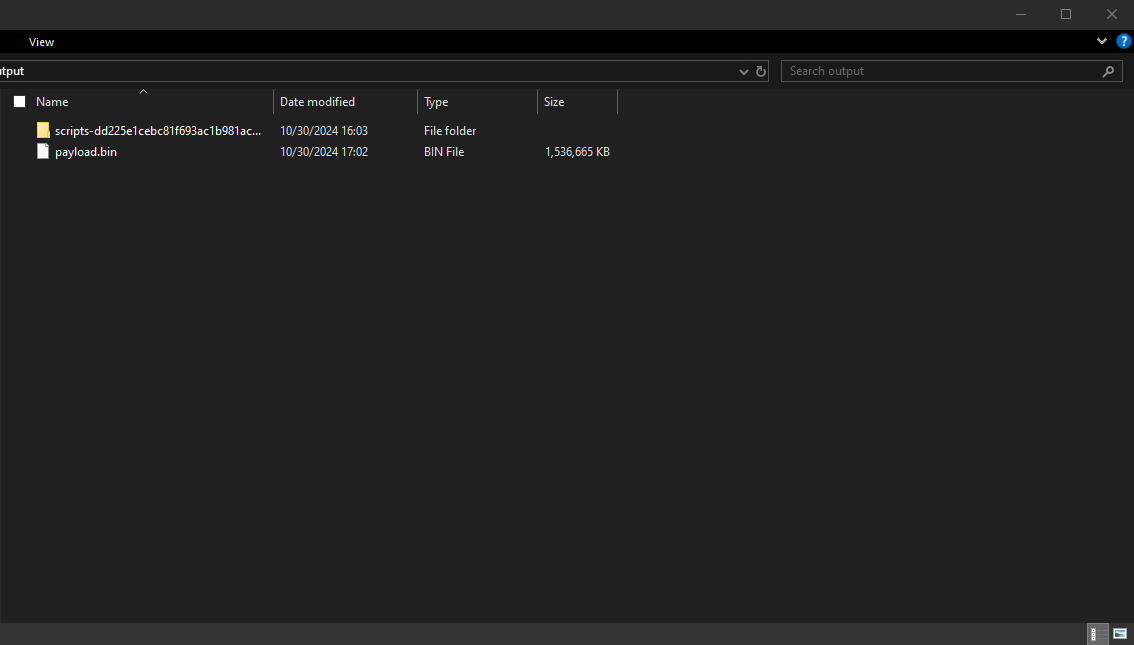
Getting ready to extract the firmware
Extract the firmware zip files
Before we can do anything, we need to extract the "payload.bin" file from the .zip file we downloaded for the firmware.
The firmware that was downloaded should be named something like "sony_atvotafull" at the start. Now we need to extract the actual firmware file, open the .zip file and extract the other .zip file in it which is named something like "sony_dtv" at the start with a bunch of numbers and letters after that.
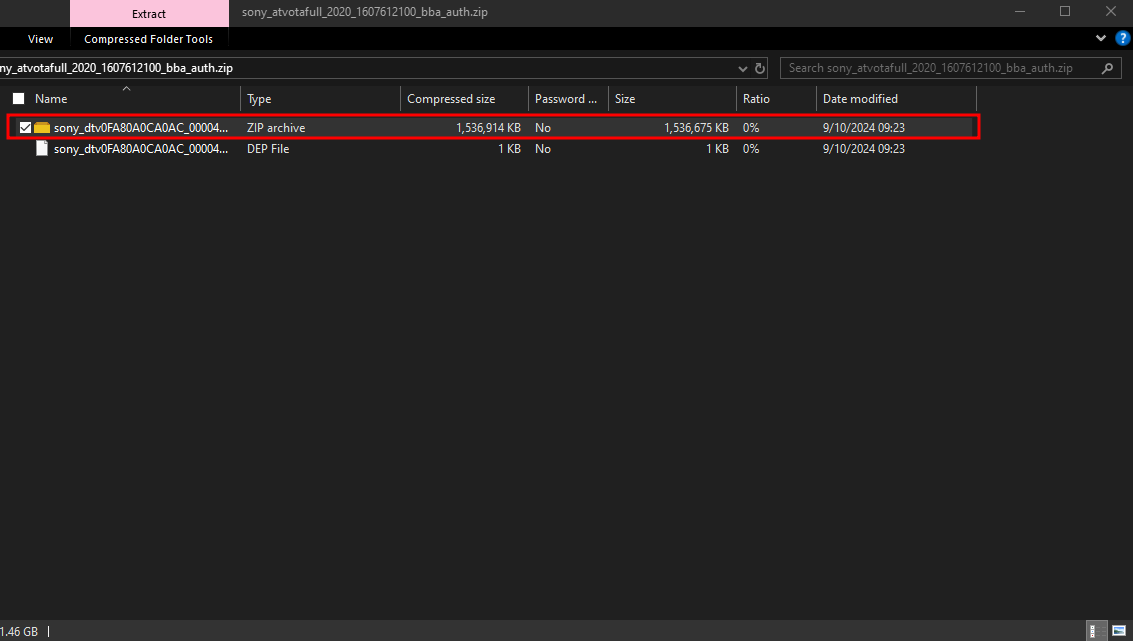
Now if you want you can delete the original .zip file which for me was named "sony_atvotafull_2020_1607612100_bba_auth.zip" should look similar to that.
Let's make a folder called output or firmware so we can be organized.
Now we can open the new .zip archive and extract the "payload.bin" file which is the actual firmware file. Extract it to the output folder we made earlier.
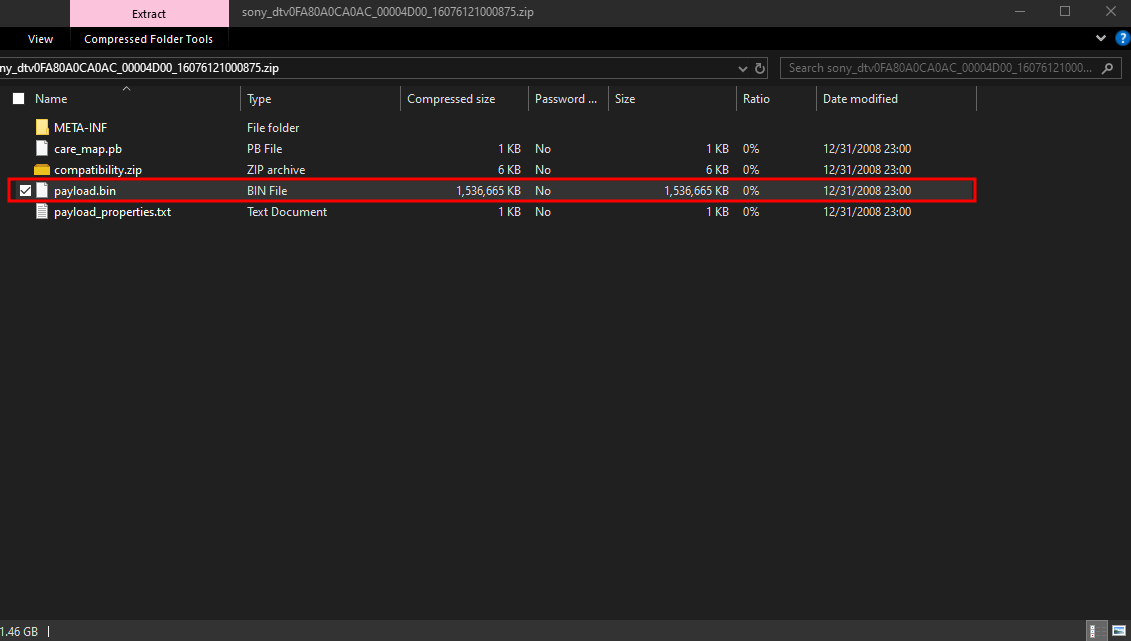
Now we can delete the 2nd .zip file which was for me "sony_dtv0FA80A0CA0AC_00004D00_16076121000875.zip" but it should look similar for you as well.
Getting the scripts ready
Now the scripts we downloaded earlier from GitHub, let's now extract that to the output folder as well. It should be named:
"scripts-dd225e1cebc81f693ac1b981ac853cf819321b49.zip"
We can also delete the scripts .zip file we just extracted since we extracted it to our output folder already.
This is what it should look like now in our folder.